- Platforms
- Migrations
- Commerce Cloud to Shopify
Leave the
revenue share.
Keep the CRM.
revenue share.
Keep the CRM.
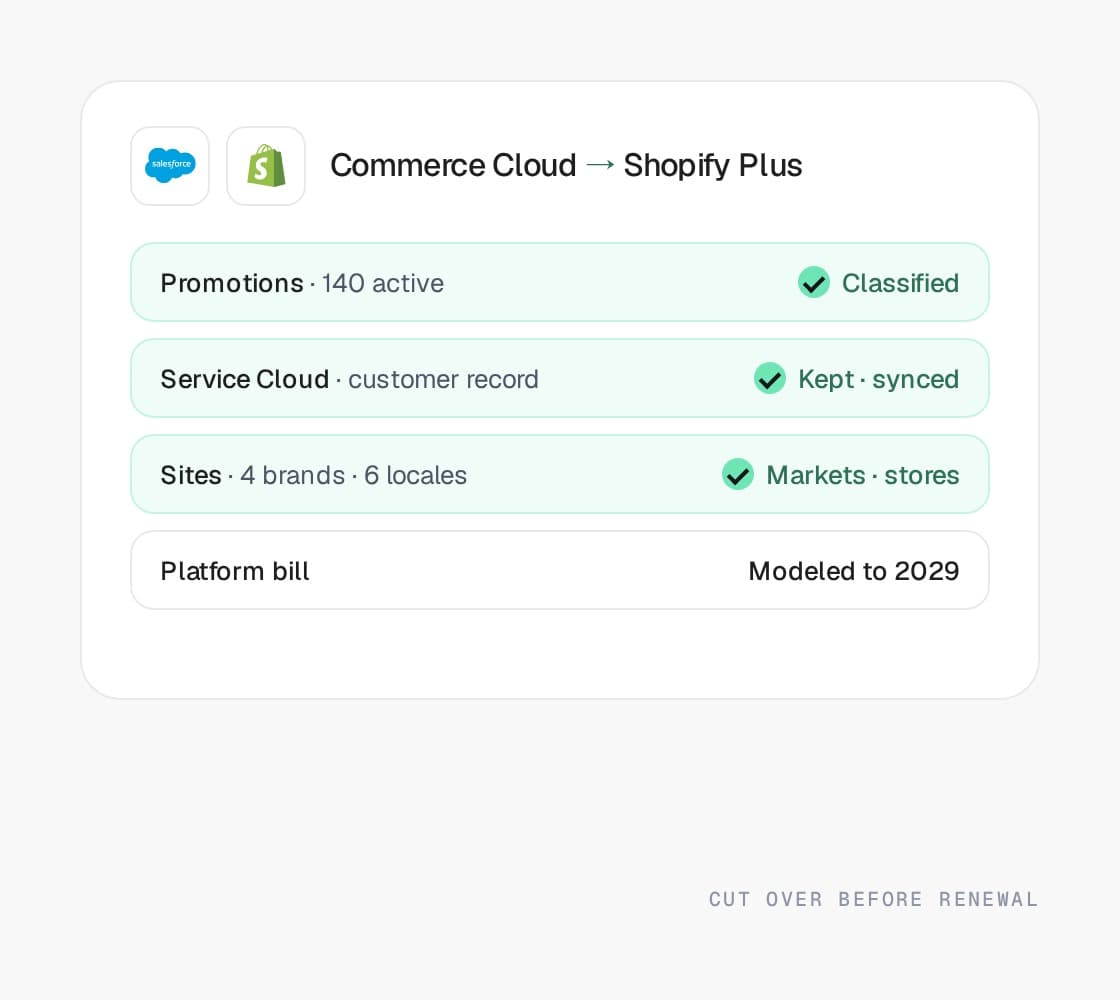
Salesforce Commerce Cloud to Shopify Plus, with Service Cloud and Marketing Cloud kept and connected, promotions rebuilt as discounts and Functions, and every URL redirected. Worth doing only when the one-estate case no longer holds, and we will say so.
Anthony’s Shopify Plus replatform
Zero SEO loss







Why merchants make this move
“The platform bill
grew with the quarter.”
grew with the quarter.”
Nobody picked Commerce Cloud for the storefront. Merchants leave when the systems that justified it are no longer load-bearing, the revenue share keeps compounding, and the cartridge stack makes every release a project.
A bill priced on gross merchandise value
Commerce Cloud charges against GMV, so a good year raises the platform cost and weakens your position at renewal. We model the two bills against your growth plan before anyone signs anything.
Service Cloud and Marketing Cloud that never got deeply connected
The one-estate advantage only exists if support and marketing actually read the commerce data. If they run on exports and a nightly job, you are paying for an integration you did not get, and Shopify can be connected to the same systems.
Cartridge conflicts on every release
Customization that drifted into vendor cartridges turns each platform release into a project. Shopify Plus updates itself, and customizations live in apps, Functions, and extensions that survive the update.
Certified developers you cannot hire
The Commerce Cloud talent pool is small and expensive, so roadmaps stall on availability rather than priority. Shopify’s developer pool is far larger, and the internal team can do more of the work themselves.
A SiteGenesis or SFRA storefront nobody wants to modernize
Moving to PWA Kit is a frontend rewrite on the same platform and the same bill. If you are rewriting the storefront anyway, the audit compares that project against a move honestly.
Multi-brand, multi-locale that a mid-market platform can now run
Expansion stores and Markets on Shopify Plus cover multi-brand and multi-region setups that once required an enterprise platform. Not every estate fits. The ones that do are overpaying.
What moves, what changes
What carries over.
What gets rebuilt.
What carries over.
What gets rebuilt.
Commerce Cloud is an estate, so what moves is mostly integrations, promotions, and sites rather than a catalog. Here is where each piece lands, and what has to be decided rather than imported.
On Commerce Cloud
Catalogs, price books, and inventory lists
On Shopify Plus
Products, variants, and inventory by location
How it moves
Master and site catalogs export as XML and are transformed into products, variants, and metafields. Price books become the base price, with B2B price lists or Markets pricing where you had more than one.
On Commerce Cloud
Business Manager promotions and campaigns
On Shopify Plus
Discounts, with Shopify Functions for what native rules miss
How it moves
Each promotion is classified. Most map to native discounts. Qualifier-heavy rules and source-code campaigns become Functions on Plus, or are retired with the merchandising team in the room.
On Commerce Cloud
Content slots and Page Designer
On Shopify Plus
Theme sections and metaobjects
How it moves
Page Designer components become sections marketing edits without a developer. Content slots become scheduled sections or metaobject-driven blocks.
On Commerce Cloud
Customer lists and profiles
On Shopify Plus
Customers, with Service Cloud kept as the record if you want it
How it moves
Profiles import with their order history. If Service Cloud stays the system of record, the customer record is synced both ways through middleware rather than replaced.
On Commerce Cloud
Order history
On Shopify Plus
Orders imported for support and reporting
How it moves
Past orders come across so support can look up any order on day one, and the reporting baseline does not reset at launch.
On Commerce Cloud
Multi-site and locales
On Shopify Plus
Expansion stores and Markets
How it moves
Sites that differ only by currency and language become Markets. Sites with different catalogs, pricing, or teams become expansion stores under one organization.
On Commerce Cloud
Cartridges and integrations (OCAPI, SCAPI)
On Shopify Plus
Apps, middleware, and Functions
How it moves
The integration surface is inventoried cartridge by cartridge. OMS, ERP, PIM, and tax integrations are rebuilt against Shopify’s APIs as middleware we own.
On Commerce Cloud
Marketing Cloud and Einstein
On Shopify Plus
Marketing Cloud kept and connected, or Klaviyo
How it moves
Marketing Cloud can stay, fed by Shopify events through the connector or middleware. Einstein recommendations become Search & Discovery or a dedicated recommendations app.
On Commerce Cloud
URL rules and aliases
On Shopify Plus
Shopify’s fixed paths, with a 301 for every old URL
How it moves
Commerce Cloud URL rules and aliases cannot be reproduced. Every product, category, and content URL gets a redirect, and canonicals are set so rankings consolidate.
On Commerce Cloud
Third-party tags and the tag manager
On Shopify Plus
Server-side tagging and Shopify’s customer events
How it moves
The tag stack that accumulated for years is rebuilt through the tag manager and Shopify’s customer events, server-side where possible, so the new storefront is not slowed by the old one’s tags.
How the move runs
Six phases.
One cutover.
Six phases.
One cutover.
The same six phases whether you are leaving Commerce Cloud or anything else. The dates change with your integration surface. The order does not.
Phase 01
Scope
Integration surface, catalog shape, URL inventory, and which customizations survive the move. Five business days, a senior engineer and a strategist.
You get
A dated plan and a real number, whether or not you hire us.
Phase 02
Map
Every product type, customer group, promotion, and content block gets a destination before anything is built.
You get
The gaps as decisions, not as surprises after launch.
Phase 03
Build
The storefront, the integrations as middleware we own, and the checkout logic as extensions and Functions. Design and marketing in the same room.
You get
A store you can test against your real data.
Phase 04
Rehearse
A full import against a copy of the new store. Redirects tested URL by URL, integrations run end to end, the cutover runbook timed.
You get
A cutover nobody is nervous about.
Phase 05
Cut over
Orders frozen for minutes, DNS switched, redirects live, integrations repointed in sequence, and the day’s orders reconciled.
You get
Trading on the new platform the same day.
Phase 06
Watch
Crawl, rankings, Core Web Vitals in the field, and the integration logs for thirty days after launch.
You get
Then the retainer that keeps shipping.
What breaks
What breaks in this move.
Handled.
What breaks in this move.
Handled.
Commerce Cloud moves fail in the estate, not the storefront. These are the places they fail, and what we do about each one before the renewal clock runs out.
Promotions that do not map
What it costs you
Years of Business Manager promotions with rules nobody owns, and the ones that quietly stop working are the ones finance notices.
What we do
Every active promotion inventoried and classified with merchandising: native discount, Shopify Function, or retired. Nothing is dropped by accident.
Losing the customer record
What it costs you
If Service Cloud stays and the storefront leaves, support answers tickets against a customer record that stopped updating at cutover.
What we do
Middleware that keeps Service Cloud and Shopify customers in sync both ways, or a clean handover to Shopify as the record. Decided in scoping, not after.
Multi-site collapsed into one store
What it costs you
Sites with different catalogs and pricing get flattened into one Shopify store, and the regional teams lose the controls they had.
What we do
Markets where sites differ by currency and language, expansion stores where they differ by catalog or team, and one organization admin over all of it.
Redirects across URL rules and aliases
What it costs you
Commerce Cloud URLs are shaped by rules and aliases per site, so the redirect map is larger and stranger than it looks.
What we do
URLs harvested from analytics, the sitemaps, and Search Console for every site and locale, then mapped, redirected, and crawled through cutover.
Cartridges with nothing to plug into
What it costs you
Every vendor cartridge was an integration. Assume they all have a Shopify app and some critical one will not.
What we do
The cartridge stack is inventoried first. Integrations are rebuilt as apps, middleware, or Functions, and the ones with no purpose left are retired.
Renewal clock versus cutover date
What it costs you
A migration that lands after the renewal date means another year of revenue share for a platform you are leaving.
What we do
The plan is built backward from the contract date, with the cutover rehearsed and a fallback that does not involve renewing.
Your options, honestly
Stay, modernize,
or move.
Stay, modernize,
or move.
Three honest answers for a Commerce Cloud estate up for renewal. The first one is right more often than an agency selling migrations would like.
Stay on Commerce Cloud
Fits when
Service Cloud handles support, Marketing Cloud runs campaigns, and the CRM is the source of truth for the customer. The one-estate case holds, and leaving means rebuilding what it gave you.
The catch
Revenue share keeps scaling with success, and the talent pool stays small.
Modernize the storefront on Commerce Cloud
Fits when
The estate is the point but the storefront is the problem. A SiteGenesis to SFRA or PWA Kit move fixes the storefront without touching the bill.
The catch
A frontend rewrite that costs like a migration and leaves the platform economics where they were.
Shopify Plus
Fits when
The Salesforce systems are not load-bearing for commerce, the storefront needs rebuilding anyway, and the bill is the thing finance keeps asking about.
The catch
Promotions, multi-site, and the customer record all have to be rebuilt deliberately. Handled, and not free.
Results
Show you the money.


DTC · Shopify Plus
2.4x
faster page loads · zero SEO loss
Replatformed an aging custom site to Shopify Plus without losing a single SKU or SEO ranking.
- View case study: Evelyn & Arthur case study

DTC · Shopify Plus
+34%
AOV
An established apparel brand replatformed to Shopify Plus without losing a single SKU or SEO ranking, and lifting average order value in the process.
Read case study
The big numbers
+30%
Avg. conversion rate lift within 12 months
+50%
Avg. order value lift
<1s
Page load speeds on the storefronts we build
+15%
Avg. revenue lift within 6 months
THE QUESTIONS YOU HAVE -
Get them out
of the way.
of the way.
Both sides of this move
Know Commerce Cloud.
Know Shopify.
Know Shopify.
The Salesforce Commerce Cloud page covers what you are leaving, the Shopify page covers where you are going, and the same team wrote both.
- View Salesforce Commerce Cloud
Salesforce Commerce Cloud
The right answer when the rest of the business already runs on Salesforce.
Learn more - View Shopify
Shopify
The default for brands that would rather ship than patch.
Learn more
Not decided yet? Read the Salesforce Commerce Cloud vs Shopify comparison.
Other migration plans
- View the Magento to Shopify migration planLearn more
Magento to Shopify
Off a version with a date attached, onto a platform that patches itself. Every URL redirected, the ERP reconnected first.
- View the WooCommerce to Shopify migration planLearn more
WooCommerce to Shopify
Stop hosting, patching, and stacking plugins. Keep the content, the customers, and the rankings.
- View the Moving to Adobe Commerce migration planLearn more
Moving to Adobe Commerce
For the catalog, the pricing, or the buyers a hosted platform cannot carry, and for Magento 1 stores out of road.
Free migration scope
Leaving
Commerce Cloud?
Start here.
Commerce Cloud?
Start here.
Decided to move? Five business days, a senior engineer, and a document you keep, covering cartridges and integrations, promotions, multi-site, the customer record, and a dated plan against your renewal.
Not sure yet? The same five days test whether the one-estate case still holds, with both bills modeled against your growth plan. Sometimes the answer is stay.