- Platforms
- Migrations
- Moving to Adobe Commerce
Moving to
Adobe
Commerce.
Adobe
Commerce.
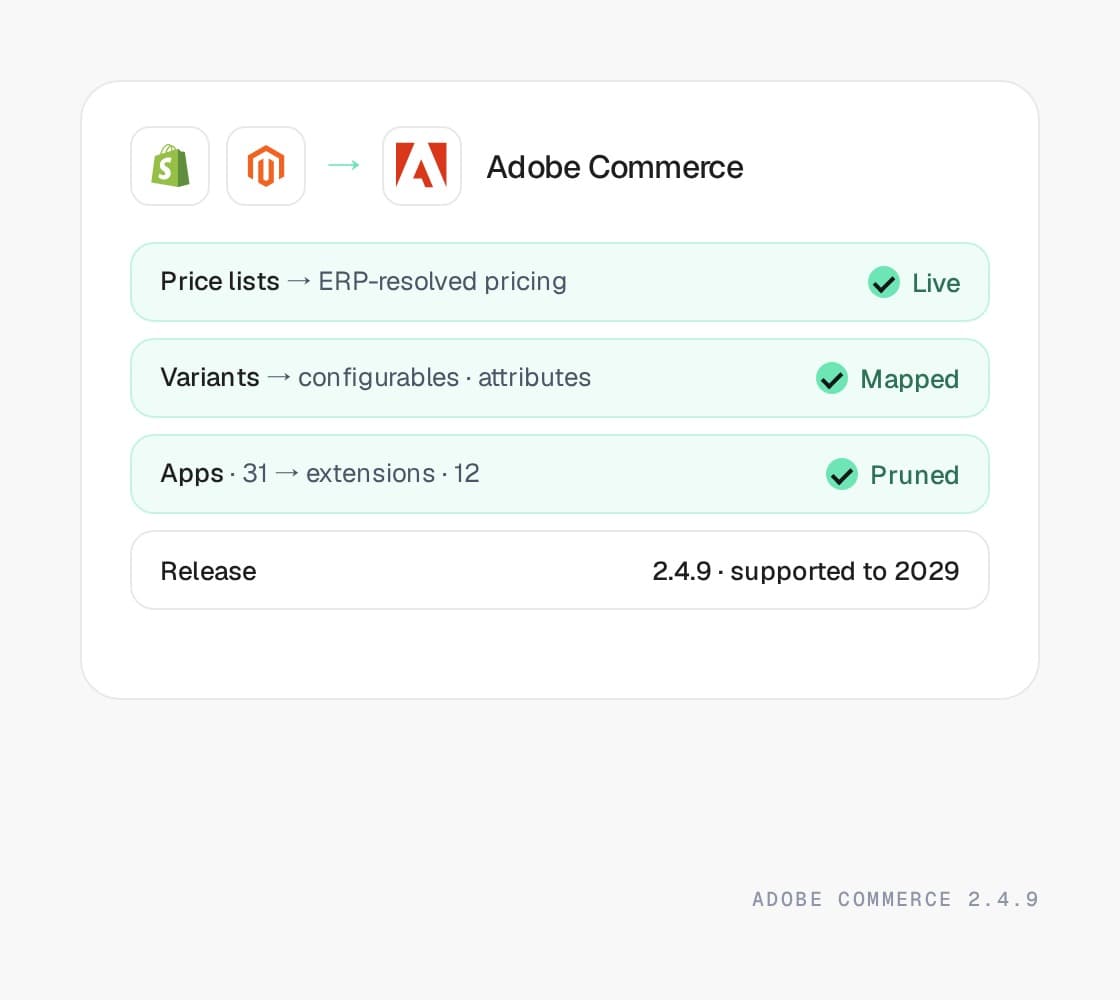
Shopify Plus, BigCommerce, or Magento 1 to Adobe Commerce, when the catalog, the pricing, or the buyers have outgrown what a hosted platform does natively. Landed on a supported release, with every URL redirected and the ERP wired in before the date is set.
Tompkins · new B2B registrations
+100%







Why merchants make this move
“The ERP has
the real prices.”
the real prices.”
Nobody moves to Adobe Commerce for fun. They move when the pricing lives in the ERP and the storefront cannot ask it, when the catalog has outgrown the platform’s ceilings, or when a Magento 1 store has run out of road.
Customer-specific pricing that the storefront cannot resolve
Thousands of accounts, each with contract prices held in the ERP, and a hosted platform that can only show the price lists it stores itself. Adobe Commerce resolves the price at request time, which is the whole reason the B2B module exists.
A catalog that keeps hitting ceilings
Configurables split into duplicates, attributes crammed into metafields, and a search that cannot see part numbers. Six figures of SKUs with real attribute sets is the catalog Adobe Commerce was built for.
Punchout, EDI, and procurement buyers
Distributors selling into procurement systems need cXML and OCI punchout, requisition lists, quotes, and purchase orders. On a hosted platform each one is an app with limits. Here they are the platform.
Multi-store rules that genuinely differ
Different catalogs, pricing, and payment rules per brand or region, under one admin. Expansion stores get you part of the way. Websites, stores, and store views were designed for it.
A Magento 1 store that has run out of road
Magento 1 left support in June 2020, and the stores still on it run unpatched with extensions nobody maintains. Magento 2 keeps the model you know, the migration tool moves the data, and OluKai and LobsterGram made this move with us.
A SaaS bill that turned into an app bill
The subscription was the cheap part. Thirty apps, transaction fees on an outside gateway, and a Plus contract add up to a number that funds a platform you own. The audit sets the two totals side by side.
Where you land
Land on a release
with years left.
Land on a release
with years left.
A move to Adobe Commerce should land on 2.4.8 or 2.4.9, with standard support into 2028 and 2029. Here is the whole 2.4 line, so the version in any proposal you receive can be checked against Adobe’s dates rather than taken on trust.
| Version | Released | Standard support ends | Extended support ends | Status today |
|---|---|---|---|---|
| 2.4.9 | May 12, 2026 | May 31, 2029 | Not yet set | Supported |
| 2.4.8 | Apr 8, 2025 | May 31, 2028 | Not yet set | Supported |
| 2.4.7 | Apr 9, 2024 | May 31, 2027 | May 31, 2028 | Supported |
| 2.4.6 | Mar 14, 2023 | Aug 11, 2026 | Aug 31, 2027 | Extended support |
| 2.4.5 | Aug 9, 2022 | Aug 12, 2025 | Aug 11, 2026 | Unsupported |
| 2.4.4 | Apr 12, 2022 | Apr 12, 2025 | Apr 14, 2026 | Unsupported |
On Adobe Commerce Cloud the dates carry a second deadline. Adobe stops maintaining Cloud environments on unsupported versions from Jun 1, 2027, enforced for 2.4.4 and 2.4.5 on that date and for 2.4.6 and 2.4.7 from Jun 1, 2028.
Source · Adobe lifecycle policyWhat moves, what changes
What carries over.
What gets rebuilt.
What carries over.
What gets rebuilt.
Adobe Commerce is a data model with room in it, and the price of that room is that you own more of the stack. Here is where each thing you have lands, and what has to be decided rather than imported.
Where you are
Shopify products, options, and metafields
On Adobe Commerce
Configurable products and attribute sets
How it moves
Options become configurable attributes and metafields become attributes in their own sets, so a catalog split across duplicate products comes back together. The ceilings you worked around do not exist here, which is usually the point.
Where you are
B2B on Shopify companies and price lists
On Adobe Commerce
Company accounts, shared catalogs, and tier pricing in the B2B module
How it moves
Companies map to company accounts with buyer roles, price lists to shared catalogs, and quantity rules to tier pricing. Contract pricing resolved live from the ERP, the case Shopify strains on, is native work here and the first thing we build.
Where you are
Magento 1 catalog, customers, and orders
On Adobe Commerce
Magento 2 through the Data Migration Tool, then cleaned
How it moves
Adobe’s Data Migration Tool moves the core data. It does not move extension data, custom attributes without a home, or a theme, and every Magento 1 store has all three. We map those before the tool runs, not after it fails.
Where you are
Shopify and BigCommerce apps
On Adobe Commerce
Core features, extensions, or nothing
How it moves
Each app is classified. Some are core on Adobe Commerce (the B2B module, multi-store, Page Builder), some become extensions from vendors we have upgraded before, and some go away. Fewer extensions is the best predictor of a cheap upgrade later.
Where you are
Collections and automated collections
On Adobe Commerce
Categories, anchor categories, and layered navigation
How it moves
Manual collections become categories. Automated collections become anchor categories with attribute rules, and the filters buyers use become layered navigation with the facets curated per category.
Where you are
Shopify’s fixed URL structure
On Adobe Commerce
URL keys you control, with a 301 for every old URL
How it moves
Product and collection handles become URL keys and category paths you decide once. Every old URL gets a redirect, the .html suffix decision is made deliberately, and we watch the crawl through the switch.
Where you are
Customers and passwords
On Adobe Commerce
Customers imported, with a reset on first sign-in
How it moves
Password hashes do not move between platforms. Customers import with their order history and the first sign-in triggers a reset. Magento 1 to 2 is the exception: the migration tool carries the hashes across.
Where you are
Hosted checkout
On Adobe Commerce
A checkout you own, on your gateway
How it moves
No platform fee on an outside gateway and full control of the checkout flow, which is also the responsibility for PCI scope, fraud tooling, and testing every release. The gateway, the fraud rules, and the test plan are part of the build.
Where you are
ERP connectors and Flow automations
On Adobe Commerce
ERP middleware, message queues, and cron
How it moves
The nightly CSV becomes middleware we own against the REST and GraphQL APIs, with the message queue and cron isolated so a stuck job does not stall the store. Flow automations become native rules or small modules.
Where you are
Expansion stores and Markets
On Adobe Commerce
Websites, stores, and store views under one admin
How it moves
Regional storefronts become store views or websites depending on whether the catalog and pricing differ. One admin runs all of them, which is the multi-store case Adobe Commerce was built for.
How the move runs
Six phases.
One cutover.
Six phases.
One cutover.
The same six phases whether you are leaving a hosted platform or anything else. The dates change with your integration surface. The order does not.
Phase 01
Scope
Integration surface, catalog shape, URL inventory, and which customizations survive the move. Five business days, a senior engineer and a strategist.
You get
A dated plan and a real number, whether or not you hire us.
Phase 02
Map
Every product type, customer group, promotion, and content block gets a destination before anything is built.
You get
The gaps as decisions, not as surprises after launch.
Phase 03
Build
The storefront, the integrations as middleware we own, and the checkout logic as extensions and Functions. Design and marketing in the same room.
You get
A store you can test against your real data.
Phase 04
Rehearse
A full import against a copy of the new store. Redirects tested URL by URL, integrations run end to end, the cutover runbook timed.
You get
A cutover nobody is nervous about.
Phase 05
Cut over
Orders frozen for minutes, DNS switched, redirects live, integrations repointed in sequence, and the day’s orders reconciled.
You get
Trading on the new platform the same day.
Phase 06
Watch
Crawl, rankings, Core Web Vitals in the field, and the integration logs for thirty days after launch.
You get
Then the retainer that keeps shipping.
What breaks
What breaks in this move.
Handled.
What breaks in this move.
Handled.
Moving onto Adobe Commerce fails differently from moving off it. The catalog and the pricing land fine. What catches merchants is everything they did not have to own on a hosted platform, and the defaults a new store ships with.
Hosting nobody owns
What it costs you
Leaving a hosted platform means the servers, the patches, the backups, and the 2am page are yours now, and most teams discover which of them nobody picked up.
What we do
Managed hosting and 24/7 monitoring scoped into the build, with the patch schedule and the owner of each item written down before launch.
A Luma theme that ships slow
What it costs you
A rebuild on the default Luma frontend recreates the reputation Magento earned, and the page speed you had on Shopify goes backwards on day one.
What we do
Hyvä by default, or our headless storefront, with Core Web Vitals in the brief and measured in the field before cutover.
Forty extensions on launch day
What it costs you
Replacing every app with an extension rebuilds the fragile stack you left, and prices the first upgrade like a rebuild.
What we do
Each app classified as core feature, extension, or retired. The vendors we keep are the ones whose upgrades we have shipped before.
Magento 1 data the tool does not move
What it costs you
The Data Migration Tool stops at core data. Extension tables, custom attributes, and years of hand edits arrive as gaps, which show up as missing prices and broken PDPs.
What we do
A data inventory before the tool runs, custom mappings for what it skips, and a full rehearsal against a copy, so the gaps are found on a Tuesday rather than at cutover.
Going live with the defaults
What it costs you
Indexers on update-on-save, cron jobs overlapping, and a full page cache never warmed. The platform is fast when configured and slow by default, and a new store ships with the defaults.
What we do
Schedule-mode indexing, cron isolation, full page cache with hole-punching, and monitoring on all three, as a launch checklist rather than a retainer item.
Redirects across a new URL scheme
What it costs you
Fixed hosted-platform paths become URL keys you choose, so every product, collection, and blog URL changes at once. The ranking loss shows up a month after launch.
What we do
Every indexed URL harvested from analytics, sitemaps, and Search Console, mapped to its new URL key, redirected, and crawled through cutover.
Your options, honestly
Stay, or pick
your Adobe Commerce.
Stay, or pick
your Adobe Commerce.
Four honest answers for a merchant who has outgrown a hosted platform or a Magento 1 store. Three of them are Adobe Commerce, and they are not the same product.
Stay on Shopify Plus, with B2B on Shopify
Fits when
Pricing fits in price lists and quantity rules, the catalog is in the tens of thousands, and punchout is not on the roadmap. Company accounts and payment terms cover most wholesale operations.
The catch
Variant ceilings, an app for anything unusual, and pricing that cannot be resolved live from the ERP on every request.
Adobe Commerce, self-managed
Fits when
Deep catalog, per-account pricing from the ERP, punchout and EDI, or multi-store rules that genuinely differ. You want the B2B module and control of the whole stack.
The catch
The license, the hosting, the patches, and the upgrades are yours. Most of our Adobe Commerce work is the retainer that carries them.
Adobe Commerce as a Cloud Service
Fits when
You want the Adobe feature set with Adobe running the infrastructure and the upgrades, and your customizations can live out of process.
The catch
Less control than self-hosting, an extensibility model that rules out most legacy extensions, and a licensing conversation with Adobe.
Magento Open Source or Mage-OS
Fits when
You need the platform and not the Adobe features, and you have a team that can own it. The community keeps the releases coming.
The catch
No B2B module and no Adobe support, so the B2B case for moving here has to be built by hand.
Results
Show you the money.


B2B · Magento
+100%
new B2B registrations
A complex B2B catalog with dealer pricing tiers, replatformed without breaking a single integration. New account registrations doubled.
- View case study: Crispi case study

B2B · Adobe Commerce
+22%
revenue
Replatformed onto Adobe Commerce. Zero broken dealer integrations. The reps just noticed it got faster.
Read case study - View case study: Lobstergram case study

DTC · Magento
+82%
revenue
Migrated from Magento 1 to Magento 2, with the gift flow rebuilt, scheduled delivery made clear, and a multi-recipient cart. Q4 went from war-room to actually pleasant.
Read case study
The big numbers
+30%
Avg. conversion rate lift within 12 months
+50%
Avg. order value lift
<1s
Page load speeds on the storefronts we build
+15%
Avg. revenue lift within 6 months
THE QUESTIONS YOU HAVE -
Get them out
of the way.
of the way.
Both sides of this move
Know where you are.
Know Adobe Commerce.
Know Adobe Commerce.
The Shopify and BigCommerce pages cover what you are leaving, the Adobe Commerce page covers where you are going, and the same team wrote all three.
- View Shopify
Shopify
The default for brands that would rather ship than patch.
Learn more - View BigCommerce
BigCommerce
Open SaaS, with a headless path that does not fight you.
Learn more - View Adobe Commerce
Adobe Commerce
Where catalog depth and pricing complexity still decide it.
Learn more
Not decided yet? Read the Magento vs Shopify comparison.
Other migration plans
- View the Magento to Shopify migration planLearn more
Magento to Shopify
Off a version with a date attached, onto a platform that patches itself. Every URL redirected, the ERP reconnected first.
- View the WooCommerce to Shopify migration planLearn more
WooCommerce to Shopify
Stop hosting, patching, and stacking plugins. Keep the content, the customers, and the rankings.
- View the Salesforce Commerce Cloud to Shopify migration planLearn more
Commerce Cloud to Shopify
For when the one-estate case stopped holding and the revenue share did not. Service Cloud stays connected.
Free migration scope
Moving to
Adobe Commerce?
Start here.
Adobe Commerce?
Start here.
Decided to move? Five business days, a senior engineer, and a document you keep, covering the catalog and pricing model, the integration surface, the version to land on, and a dated plan with a real number.
Not sure yet? The same five days test whether your pricing and catalog actually need Adobe Commerce, or whether B2B on Shopify Plus would carry them. Sometimes the answer is stay.