- Services
- Development
- ERP Integration
Real-time, or
not integrated.
not integrated.
Two-way ERP integration for Shopify, Adobe Commerce, and BigCommerce: inventory, pricing, orders, and the edge cases connectors skip.
Tompkins B2B registrations
+100%







The integration review
A nightly CSV
is not a sync.
is not a sync.
Most stores we inherit are connected to the ERP by a connector app, a nightly file, or a developer who left. It works until inventory is wrong on a Saturday. Six things we find in the first week.
Inventory that lags the warehouse
A nightly sync means a product sold out at noon keeps selling until midnight. Oversells become cancellations, and cancellations become reviews.
Prices that live in two places
Contract prices in the ERP, list prices in the store, and a spreadsheet to reconcile them. The customer sees whichever was updated last.
Orders that need a human to land
Orders reach the ERP, but partial shipments, backorders, and freight come back by email. Someone keys them in, and someone gets one wrong.
Credit status the checkout cannot see
An account on hold in the ERP can still check out on terms, and finance finds out after the goods ship.
A connector that covers the happy path
The marketplace app handles a simple order. Returns, credits, kits, and multi-warehouse allocation fall to a workaround nobody documented.
Nobody who owns the middle
The ERP consultant owns the ERP, the agency owns the store, and the integration between them is nobody’s job until it breaks.
ERP integration
Both directions,
every edge case.
Both directions,
every edge case.
Four groups. The data that has to flow into the store, the data that has to flow back, the edge cases that decide whether the integration holds, and the monitoring that tells you before a customer does.
01 · Into the store
What the shopper sees
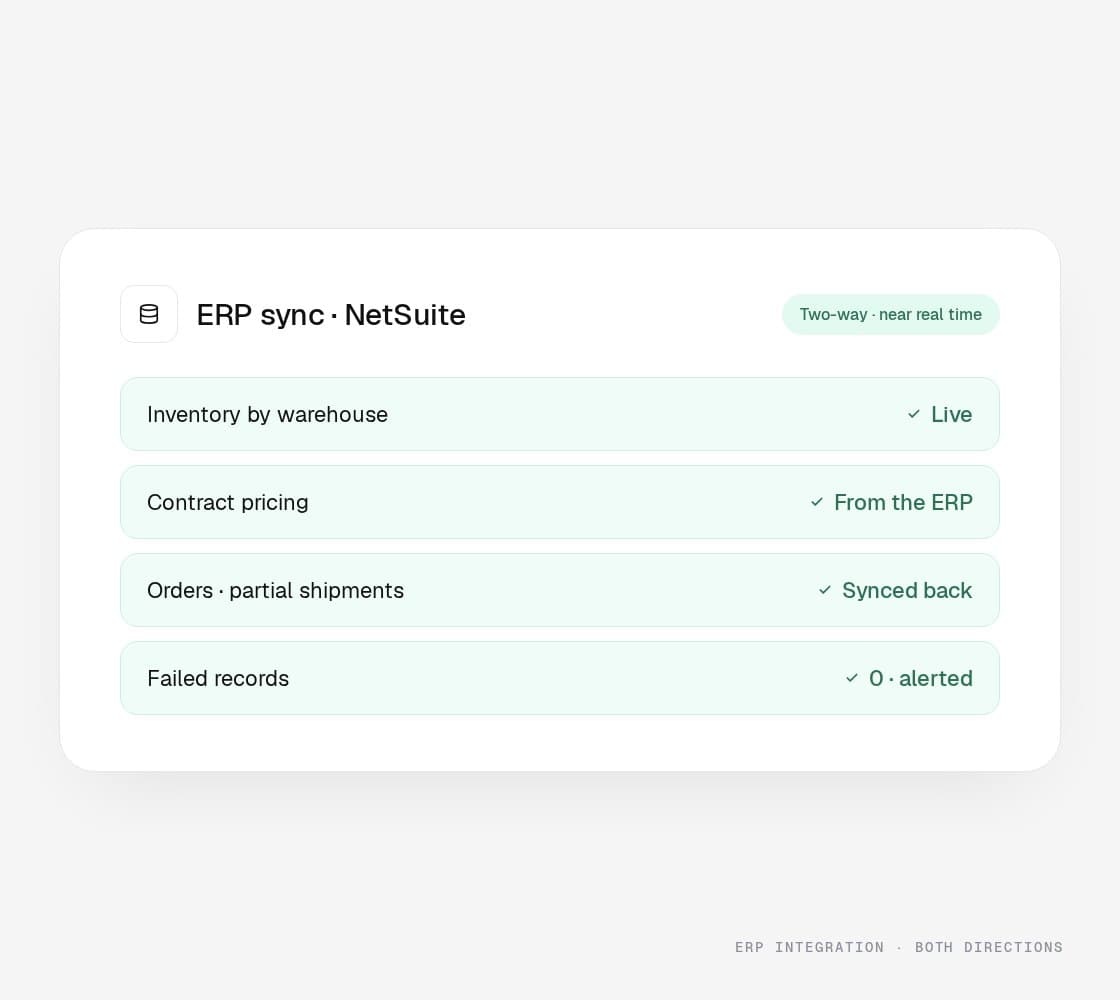
Products, prices, and stock from the ERP, in real time or as near as the ERP allows.
Product and catalog sync, with the PIM where there is one
Inventory by warehouse and location
Customer-specific and contract pricing
Customer accounts, hierarchies, and terms
Credit status and holds at checkout
02 · Back to the ERP
What finance needs
Orders, payments, and customers land in the ERP the way the ERP expects them, without a person retyping anything.
Order creation with tax, shipping, and payment detail
Payment capture and settlement
New customers and address changes
Invoices and payment status back to the account
Shipment confirmation and tracking to the shopper
03 · The edge cases
Where connectors quit
The situations that break a marketplace connector are the ones we build for first.
Partial shipments and backorders
Returns, credits, and exchanges
Kits, bundles, and configurable products
Multi-warehouse allocation and drop ship
Currency, tax, and multi-entity
04 · Systems and monitoring
Built for your stack, watched daily
Middleware where it is needed, direct integration where it is not, and an alert to a person on every failed record.
NetSuite, SAP, Acumatica, Dynamics, and Infor
Adobe Commerce, Shopify, BigCommerce, and headless
Middleware or direct API, chosen per system
Sync monitoring, retries, and alerting
Reconciliation reports for finance
What goes wrong
Four ways syncs
fail. Handled.
Four ways syncs
fail. Handled.
The failures every store integration hits eventually, what each one costs while it waits, and how we build so they become routine work instead of a Saturday.
The oversell
What it costs you
Inventory an hour stale on a launch day sells stock that is gone. Every cancellation is a refund, a support ticket, and often a review.
What we do
Near-real-time inventory by location, safety stock rules by SKU, and an allocation order the ERP and the store agree on.
The price the ERP did not send
What it costs you
A contract price updated in the ERP and not in the store is an invoice dispute or margin given away, one account at a time.
What we do
Pricing owned by the ERP and pushed on change, with the store reading tiers and contract prices per account at checkout.
The order that needs a human
What it costs you
Partial shipments, backorders, and freight quotes come back by email and get keyed in by hand. Errors follow.
What we do
Order status, shipments, and adjustments flowing back to the store and the shopper automatically, including the awkward cases.
The sync that failed quietly
What it costs you
A record fails at two in the morning and nobody knows until a customer calls. The backlog grows with every hour it goes unnoticed.
What we do
Monitoring on every job, retries with a holding queue for the records that need a person, alerts to that person, and a reconciliation report finance can read.
Free integration scope
Your systems.
Our map.
Our map.
A call with an engineer, read access to how the store and the ERP talk today, and five business days. You get the data map (what flows where, how often, and what is keyed by hand), the failure points, the build or fix plan in sequence, and what it needs from your ERP team. Yours to keep.
1. Data flow map
Every field moving between the store and the ERP, its direction, its frequency, and its owner.
2. Failure points
Where inventory, pricing, orders, or credit status go wrong today, with examples from your own records.
3. Build or fix plan
Middleware or direct, the sequence of work, and what stays as it is.
4. What your ERP team provides
The endpoints, permissions, and test environment the work needs, listed before anyone is booked.
5. The first three fixes
In order, with the failure each one removes.
- Takes
- Five business days
- Costs
- Nothing, whether or not you hire us
- Needs
- A call and read access to the current integration
Other options
A connector app, an iPaaS, or us.
An honest read on the alternatives. The question is who handles the case the tool did not anticipate.
Results
Show you the money.
- View case study: Anova case study

B2B · Magento
<1s
page speed
A contract furniture brand whose B2B catalog finally became the tool buyers actually used. Contract pricing rebuild, designer portal, net-terms checkout, NetSuite integration.
Read case study - View case study: Crispi case study

B2B · Adobe Commerce
+22%
revenue
Replatformed onto Adobe Commerce. Zero broken dealer integrations. The reps just noticed it got faster.
Read case study 

B2B · Magento
+100%
new B2B registrations
A complex B2B catalog with dealer pricing tiers, replatformed without breaking a single integration. New account registrations doubled.
The big numbers
+30%
Avg. conversion rate lift within 12 months
+50%
Avg. order value lift
<1s
Page load speeds on the storefronts we build
+15%
Avg. revenue lift within 6 months
How it starts
Here's what happens
after you fill out the form.
after you fill out the form.
Sales keeps it short. A senior strategist and an engineer who has shipped on your platform join the first call when the question needs them.
Step 01
30-min
discovery callWhat you’re on, what hurts, what the ERP and the catalog look like. We’ll say early if the platform isn’t the problem.
Step 02
Free platform audit
Pricing logic, catalog, integrations, Core Web Vitals on real field data. Five business days. Yours to keep.
Step 03
Stay, upgrade,
or moveOne recommendation, with the cost of staying set against the cost of moving. Sometimes the answer is stay.
Step 04
Scoped
proposalScope, timeline, pricing: fixed-fee or T&M. First wins inside 30 days.
WE GOT THE WHOLE PACKAGE
There’s a lot more
to this story.
There’s a lot more
to this story.
Design, development, and digital marketing all live under one roof. The same team that builds your store also designs it and runs the paid, lifecycle, and CRO work behind it, so nothing gets lost in a handoff.
THE QUESTIONS YOU HAVE -
Get them out
of the way.
of the way.
Also on the menu
One team.
The rest of the work.
The rest of the work.
Each of these is its own page because people search for it by name. Behind the pages it is one team, so the SEO work knows what the developers shipped and the email flows know what the ads promised.
- View Accessibility Audit
Accessibility Audit
WCAG 2.2, one price, a backlog you can act on.
Learn more - View Site Speed Optimization
Site Speed Optimization
Faster pages, measured in the field.
Learn more - View NetSuite Integration
NetSuite Integration
NetSuite and the store, in step.
Learn more - View Managed Services
Managed Services
The team that stays after launch.
Learn more - View AI Search Optimization
AI Search Optimization
Get cited where shoppers now ask.
Learn more - View AI SEO
AI SEO
Rank for people. Get quoted by machines.
Learn more - View Generative Engine Optimization
Generative Engine Optimization
Be the source, not the summary.
Learn more - View LLM and ChatGPT Visibility
LLM and ChatGPT Visibility
Know what the engines say.
Learn more
Free integration scope
Store and ERP,
on speaking terms?
on speaking terms?
Tell us the platform and the ERP. Within one business day an engineer replies; within five business days you have the scope: the data map, the failure points, and the plan. Yours to keep.
Know the failure already? Say so and we will start there.