- Services
- Development
- Accessibility Audit
Every shopper,
every page.
every page.
A fixed-price WCAG 2.2 AA audit of the templates your shoppers actually touch, tested by machine and by hand, with a remediation backlog you can hand to any developer. Or to us.







Why now
The letter arrives
before the audit does.
before the audit does.
Most stores learn about accessibility from a plaintiff’s attorney, not from a shopper. The complaints follow the same script because the failures do too. Six of them show up in nearly every storefront we test.
Images with no alt text, or alt text that reads like a file name
Product photography is the store. A screen reader user hears a file name or nothing at all, and the color, fit, and detail the photo carries never reach them. It is also the first item on nearly every demand letter.
A mega menu and a cart drawer you cannot leave with a keyboard
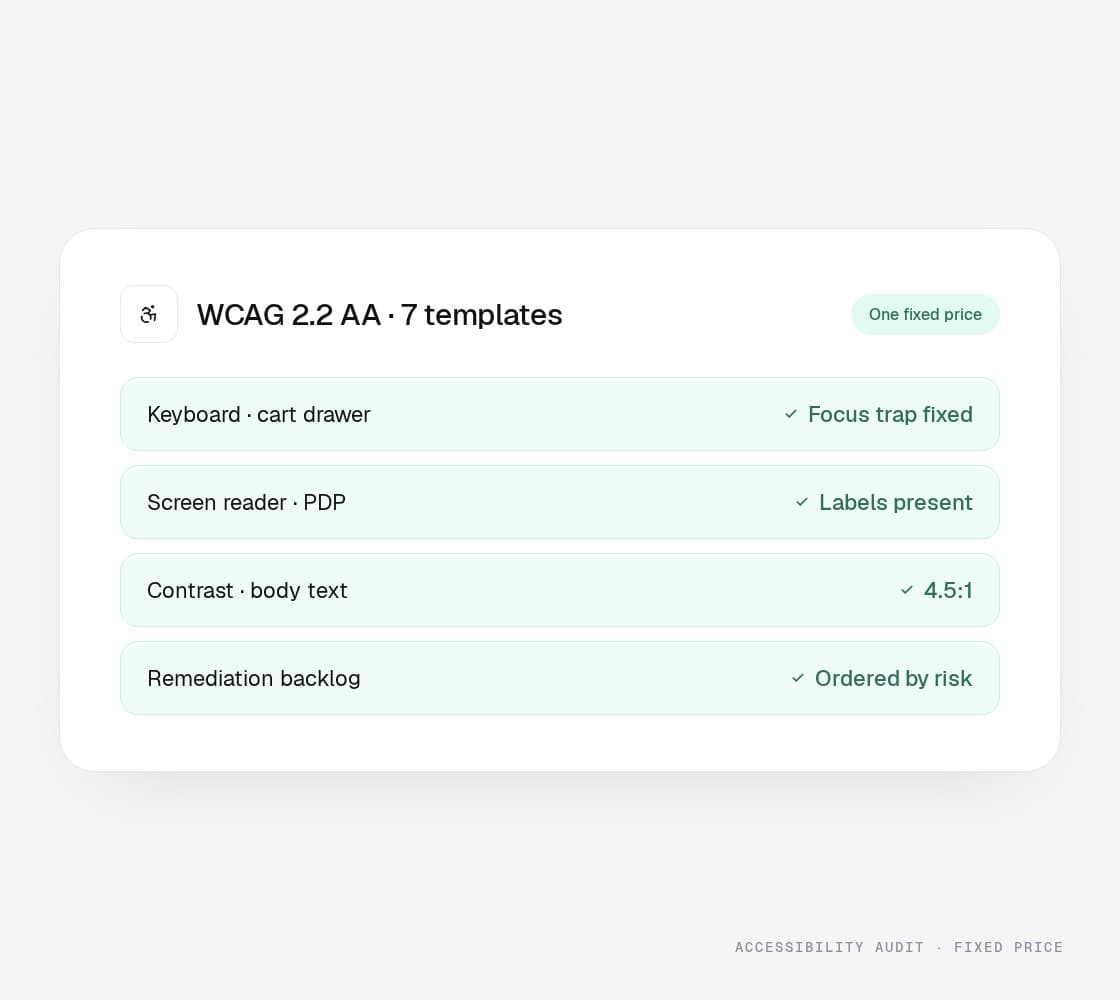
Focus goes into the drawer and never comes out. Keyboard and switch users are trapped on the one element between them and checkout, which is the definition of a critical barrier.
Color contrast that passed the brand review and fails the standard
Light gray labels on white, sale prices in a pastel red, placeholder text as the only label. WCAG asks for a 4.5:1 ratio on body text, and most theme defaults do not get there.
Form fields with placeholders instead of labels
Checkout, account, and newsletter forms that a sighted shopper reads fine and a screen reader announces as “edit text.” Errors appear in red with no text a reader can find or a keyboard can reach.
An overlay widget standing in for a fix
A one-line script that promises compliance changes the toolbar and little else. Stores running one still receive demand letters, and the widget’s own terms do not indemnify you when they arrive.
Apps that ship their own accessibility problems
Reviews, size guides, upsells, and chat load markup you never audited. Each is a third party with its own contrast, focus, and labeling, and every one lands on your product page under your name.
Accessibility audit
Tested by hand.
Ready to act on.
Tested by hand.
Ready to act on.
Automated scanners catch the mechanical failures. Keyboard traps, reading order, and meaning carried only by color take a person with a screen reader. The audit does both, then turns the findings into work a developer can pick up on Monday.
01 · Coverage
The templates a shopper touches
Seven templates carry nearly every purchase. We test each on desktop and on a phone, logged out and logged in, with the apps you actually run.
Home and navigation
Collection and filters
Product page and variants
Cart and cart drawer
Checkout
Account and login
Search and results
02 · Method
Automated, then by hand
The scanner goes first so the human time goes where only a human can look. Every finding is mapped to the WCAG 2.2 success criterion it fails.
axe-core and Lighthouse passes
Keyboard-only walkthroughs
NVDA and VoiceOver passes
Zoom to 400% and reflow
Color contrast measured
Motion and timing checks
Mapped to WCAG 2.2 AA criteria
03 · Deliverables
A backlog, not a PDF of screenshots
The output is a list of work, ordered, with the fix already thought through. The summary at the front is written for the person answering the letter.
Findings by success criterion
Severity by legal risk and shopper impact
Fix notes with code references
Written summary for counsel
VPAT or ACR on request
Retest after remediation
04 · Remediation
The fixes, if you want them
Scoped after the audit, priced from the backlog, shipped by engineers who work on your platform every week. Or hand the backlog to your own team; it is written for that too.
Theme and template fixes
Checkout and form labeling
Focus management in menus and drawers
Third-party app replacement or containment
Accessible PDFs and documents
Checks in the release process
What goes wrong
The four findings
on every letter. Handled.
The four findings
on every letter. Handled.
These are the failures that appear in nearly every audit and nearly every complaint. Each one is a change to the store, and each one is retested after the fix.
The keyboard trap in the cart drawer
What it costs you
A shopper who cannot reach checkout cannot buy, and cannot leave. Focus traps are the failure most likely to end a session and most likely to be cited by name.
What we do
Focus moves into the drawer on open, stays inside it, returns to the trigger on close, and Escape always works. Tested on every template that opens a layer.
Alt text that describes nothing
What it costs you
Screen reader users hear file names, “image,” or silence on the pages where the product is the picture. Every automated scanner flags it, so every complaint starts there.
What we do
Alt text for product imagery becomes a catalog field, not a theme afterthought. Decorative images are marked as such so readers skip them instead of stumbling.
Contrast that only passed the brand review
What it costs you
Prices, labels, and error messages in low-contrast gray or pastel are unreadable for low-vision shoppers and fail WCAG 1.4.3 on every page they appear.
What we do
Tokens adjusted at the design-system level so one change fixes every instance, with the brand palette kept wherever color is not carrying information.
An overlay widget standing in for a fix
What it costs you
The toolbar changes fonts and colors. It does not fix a missing label, a trapped focus, or an unlabeled button, and stores running one still receive demand letters.
What we do
We remove the overlay, fix the code it was covering, and document each fix against the criterion it satisfies, which is what an attorney actually asks for.
The product
One audit.
One price.
One price.
A fixed-scope WCAG 2.2 AA audit of your storefront, quoted before we start and delivered as a backlog your developers can pick up. No hourly meter, no scope creep, no PDF of screenshots.
1. Seven shopper templates
Home, collection, product, cart, checkout, account, and search, on desktop and on a phone, logged out and logged in.
2. Automated and manual testing
axe-core and Lighthouse first, then a person with a keyboard and a screen reader on every template.
3. NVDA and VoiceOver passes
The two readers most shoppers use, on Windows and on iPhone, walking the purchase from search to order confirmation.
4. A backlog ordered by risk
Every finding mapped to its WCAG success criterion, rated by legal exposure and shopper impact, with a fix note and a code reference.
5. A summary counsel can read
Two pages in plain language: what was tested, what failed, what is being fixed and when. Written for the person answering the letter.
6. A retest after the fixes
Once remediation ships, we test the same templates again and issue an updated report. Yours to keep and to show.
- Timeline
- Two weeks from access to report
- Price
- One fixed price, quoted before we start
- Who runs it
- A senior engineer and a QA lead
An audit documents your good-faith effort and gives you a plan; it is not a legal guarantee, and nobody honest will sell you one. Conformance comes from fixing the findings.
Other options
Widget, scanner, law firm, or us.
Each one exists for a reason. Only one of them changes the code shoppers actually use.
The big numbers
+30%
Avg. conversion rate lift within 12 months
+50%
Avg. order value lift
<1s
Page load speeds on the storefronts we build
+15%
Avg. revenue lift within 6 months
How it runs
Quote, test,
backlog, retest.
backlog, retest.
The price is fixed before the first test runs, and the last step is checking our own work.
Step 01
Scope and
fixed quoteA thirty-minute call: the platform, the templates, the apps, and whether a letter is already on the table. One fixed price, in writing, before we start.
Step 02
Machine,
then handAutomated passes on every template, then keyboard, NVDA, and VoiceOver walkthroughs of the purchase path on desktop and phone.
Step 03
Backlog and
summaryFindings by criterion, ordered by risk, with fix notes a developer can act on and a two-page summary counsel can read. Two weeks from access.
Step 04
Fix and
retestRemediation scoped from the backlog, by us or by your team. Either way, we retest the same templates and issue the updated report.
WE GOT THE WHOLE PACKAGE
There’s a lot more
to this story.
There’s a lot more
to this story.
Design, development, and digital marketing all live under one roof. The same team that builds your store also designs it and runs the paid, lifecycle, and CRO work behind it, so nothing gets lost in a handoff.
THE QUESTIONS YOU HAVE -
Get them out
of the way.
of the way.
Also on the menu
One team.
The rest of the work.
The rest of the work.
Each of these is its own page because people search for it by name. Behind the pages it is one team, so the SEO work knows what the developers shipped and the email flows know what the ads promised.
- View Site Speed Optimization
Site Speed Optimization
Faster pages, measured in the field.
Learn more - View ERP Integration
ERP Integration
Real-time, or it is not integrated.
Learn more - View NetSuite Integration
NetSuite Integration
NetSuite and the store, in step.
Learn more - View Managed Services
Managed Services
The team that stays after launch.
Learn more - View AI Search Optimization
AI Search Optimization
Get cited where shoppers now ask.
Learn more - View AI SEO
AI SEO
Rank for people. Get quoted by machines.
Learn more - View Generative Engine Optimization
Generative Engine Optimization
Be the source, not the summary.
Learn more - View LLM and ChatGPT Visibility
LLM and ChatGPT Visibility
Know what the engines say.
Learn more
Fixed-price audit
Quoted first.
Fixed after.
Fixed after.
Tell us the platform and roughly how many templates and apps the store runs. A senior engineer replies within one business day with a fixed quote and a start date; the audit itself takes two weeks from access.
Already holding a demand letter? Say so, and the summary for counsel moves to the front of the schedule.