Magento vs
WooCommerce
WooCommerce
Which is better, Magento or WooCommerce? Catalog size, B2B, maintenance, security, and cost compared, with a verdict.







The short answer
Pick one.
Here's when.
Pick one.
Here's when.
Pick Adobe Commerce when
A real commerce platform for a real catalog: attribute sets, the B2B module, multi-store, and a team to run it.
Pick WooCommerce when
A content site with a store attached, a small catalog, and a WordPress team already in the building.
The tiebreaker
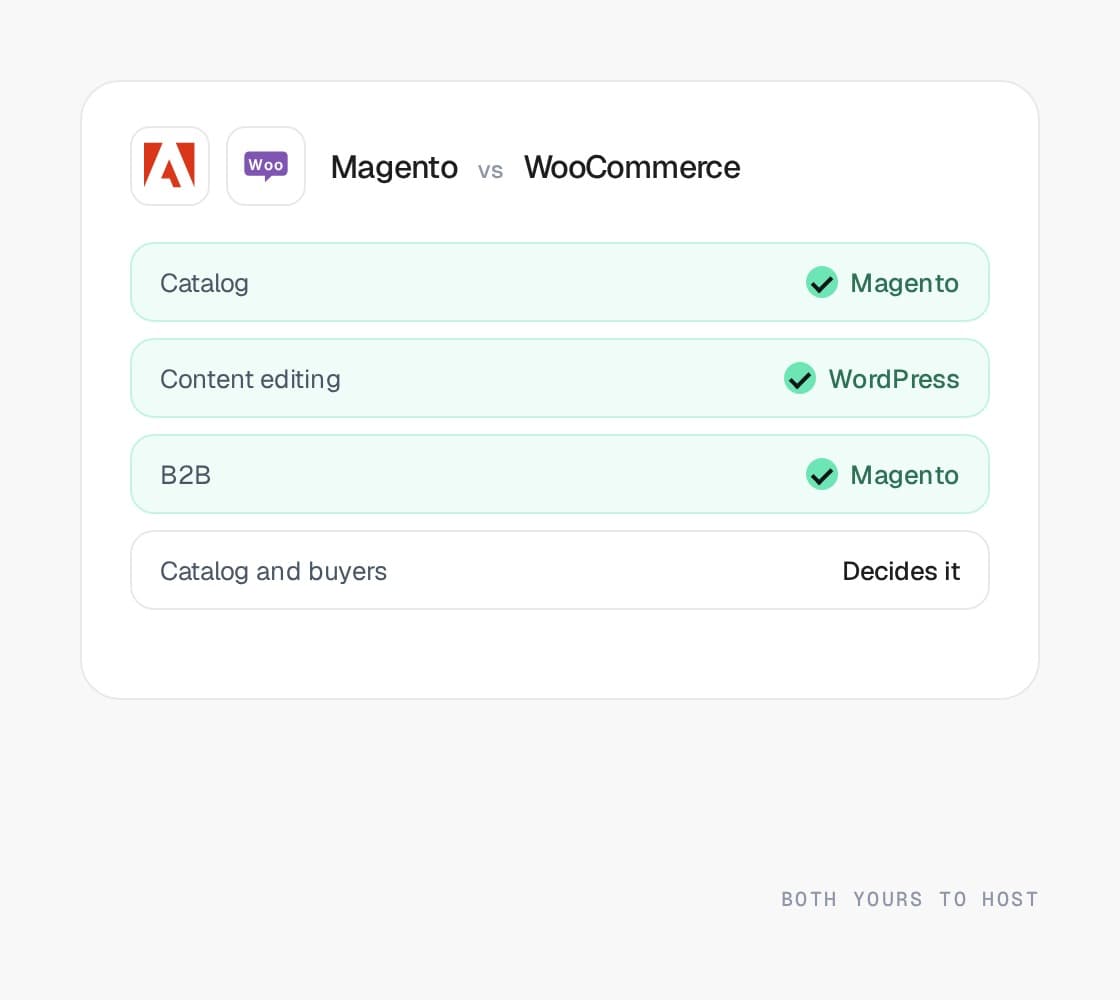
The catalog and the buyers. Thousands of SKUs and consumer buyers can live on WooCommerce. Tens of thousands, or B2B buyers with contract pricing, cannot.
Row by row
Same criteria.
Both columns.
Same criteria.
Both columns.
Every comparison on this site uses the same eleven criteria, and each platform is described in the same words wherever it appears. The last column is the only opinion on the page.
Pricing model
How do you pay for the platform, and what grows with you?
Adobe Commerce
License on revenue, or free Open Source
A license priced on revenue for Adobe Commerce, or free as Magento Open Source. Hosting, patching, and upgrades are yours either way, and they are the larger cost.
WooCommerce
Free plugin, paid everything else
A free WordPress plugin. You pay for hosting, the theme, a license for most of the plugins that make it a store, and processing.
Our read
Both free to download; both cost you hosting and people. Magento’s people cost more, and the license is optional.
Catalog and variants
How deep can the catalog go before something has to be split?
Adobe Commerce
No practical ceilings
Configurable and bundle products, attribute sets, layered navigation, and six-figure catalogs are what it was built for.
WooCommerce
Fine in the thousands
Simple and variable products with attributes. Works in the thousands; large catalogs strain search, filtering, and the database without extra plugins and hosting.
Our read
Magento is built for six figures. WooCommerce strains past a few thousand without plugins and hosting to match.
B2B and pricing logic
Company accounts, price lists, quotes, and where the price lives.
Adobe Commerce
The deepest B2B module
Company hierarchies, shared catalogs, contract pricing resolved at request time, quotes, requisition lists, purchase orders, punchout.
WooCommerce
Plugins, each with limits
Wholesale pricing, quotes, and customer roles are each a plugin with its own limits and update schedule.
Our read
Magento’s module against a stack of plugins. Not close for B2B.
Checkout control
How much of checkout can you change, and who tests it?
Adobe Commerce
Fully yours, including the testing
Fully customizable, and fully yours to test on every release. Extensions and years of checkout edits are the usual upgrade cost.
WooCommerce
Anything, until an update
Fully customizable through plugins and code, which is also why an update can break it. PCI scope and fraud tooling are yours.
Our read
Both are yours to build and break. Magento’s is heavier and more capable.
Hosting and patching
Who owns the servers, the patches, and the upgrades?
Adobe Commerce
Self-managed, versions have dates
Self-managed, on your hosting or Adobe’s cloud infrastructure. Versions carry support dates; patches, upgrades, and monitoring are your job or your agency’s.
WooCommerce
You host and patch it all
You host it, patch WordPress, the theme, and every plugin, and keep the backups. The store is as reliable as its least maintained plugin.
Our read
Both self-hosted. WordPress is easier to find help for; Magento is harder to keep patched and more worth patching.
ERP and integrations
What the APIs give you, and where the middleware starts.
Adobe Commerce
Full APIs, queues, cron
REST and GraphQL APIs, message queues, cron, and a mature ERP connector market. Middleware for ERP pricing and inventory is normal work here.
WooCommerce
A REST API and plugins
A REST API and a plugin for most connectors. ERP integrations are usually a plugin plus custom work, and quality varies.
Our read
Magento has the queue, cron, and ERP connector market. WooCommerce has plugins.
Apps and talent
How big the app and agency pool is, and where.
Adobe Commerce
Large, uneven, a shrinking pool
A large extension marketplace of uneven quality and a deep but shrinking pool of specialists. Fewer extensions is the best predictor of a cheap upgrade.
WooCommerce
Largest on the web, most attacked
The largest plugin ecosystem on the web and the most attacked. Plenty of developers; few who specialize in commerce at scale.
Our read
WordPress’s is the largest on the web and the most attacked. Magento’s is commerce-specific and uneven.
Frontend and speed
What the storefront is built with, and how fast it is by default.
Adobe Commerce
Slow on Luma, fast on Hyvä
Slow on the default Luma theme, fast on Hyvä or a headless storefront. The speed is decided by the build, not the platform.
WooCommerce
Any theme, cache-dependent speed
Any WordPress theme, with speed depending on the host, the cache, and the plugin stack cooperating. WordPress remains the best content editor here.
Our read
WordPress wins on content editing. Magento on Hyvä wins on a fast catalog at scale.
SEO and URLs
How much of the URL structure you control, and the platform habits to manage.
Adobe Commerce
URL keys, crawl budget to manage
URL keys you control, optional .html suffixes, and canonical and layered-navigation indexing to configure. Crawl budget is the scale problem.
WooCommerce
Full URL control, best publishing
Full URL control and the strongest publishing tools of any option, with mature metadata plugins. Speed is the usual weakness.
Our read
WordPress is the better publishing platform. Magento is the better catalog to crawl, once layered navigation is tamed.
Multi-store and international
Several brands, regions, or currencies under one admin.
Adobe Commerce
Websites, stores, store views
Different catalogs, pricing, and payment rules per storefront under one admin. The strongest multi-store model here.
WooCommerce
Plugin territory
Multisite and multi-currency are plugin territory. Workable for a second storefront, painful past that.
Our read
Magento’s websites and store views against WordPress multisite plus plugins. Magento, clearly.
Who it fits
The merchant this platform is genuinely the right answer for.
Adobe Commerce
Deep catalog, ERP pricing, procurement
Deep catalogs, per-account pricing from an ERP, procurement buyers, and multi-store rules that genuinely differ.
WooCommerce
Content-led, small store
Content-led brands where the site is the business and the store is small, or anyone who wants to own every layer and has a team to maintain it.
Our read
Catalog and B2B to Magento. Content-first with a small store to WooCommerce.
The big numbers
+30%
Avg. conversion rate lift within 12 months
+50%
Avg. order value lift
<1s
Page load speeds on the storefronts we build
+15%
Avg. revenue lift within 6 months
THE QUESTIONS YOU HAVE -
Get them out
of the way.
of the way.
Where to next
The pages behind
the verdict.
the verdict.
Each platform compared here has its own page: what it is good at, what it costs you, the issues merchants hit on it, and the work we do on it.
Other comparisons
- Read the Shopify vs WooCommerce comparisonLearn more
Shopify vs WooCommerce
A hosted platform against a WordPress plugin. The store decides one way, the content site the other.
- Read the Shopify vs BigCommerce comparisonLearn more
Shopify vs BigCommerce
Two hosted platforms that convert well. One app, one fee, and the multi-storefront model usually decide it.
- Read the Shopify Plus vs Shopify comparisonPlusLearn more
Shopify Plus vs Shopify
Same storefront, different contract. Checkout, wholesale, and multiple stores are the reasons to step up.
- Read the Magento vs Shopify comparisonPlusLearn more
Magento vs Shopify
Depth against convenience. Where the price lives decides it more than anything else on the page.
- Read the BigCommerce vs Magento comparisonLearn more
BigCommerce vs Magento
Open SaaS against open source. B2B Edition carries a straightforward wholesale operation; the B2B module carries the rest.
- Read the Salesforce Commerce Cloud vs Shopify comparisonPlusLearn more
Salesforce Commerce Cloud vs Shopify
Revenue share against a subscription. The one-estate case decides it, and it holds less often than it used to.
- Read the Shopware vs Shopify comparisonLearn more
Shopware vs Shopify
Open source against hosted. Geography and who owns the upgrades decide it.
- Read the Shopware vs Magento comparisonLearn more
Shopware vs Magento
Two open source PHP platforms. Depth against weight, and which continent your buyers are on.
- Read the Best ecommerce platform for B2B comparisonPlusLearn more
Best ecommerce platform for B2B
Ranked by where the price lives, how deep the catalog is, and who maintains it. The answer changes with each.
Free platform audit
Deciding?
Start here.
Start here.
Five business days, a senior engineer and a strategist, and a document you keep: what your store runs on, where the price lives, how deep the catalog is, which customizations would survive a move, and a straight recommendation.
The cost of staying is set against the cost of moving, on your numbers rather than a vendor’s. If the answer is stay put, that is what it says.